Installation
Page on how to install the libraries setup the network to run the franka server on the mini desktop.
Glossary
- Franka Control / Controller: Black Box on the table
- Franka PC / Desktop: Franka PC on the ground
- Franka Desk: Web app to control the robot
- FR3-server: Set of ros2 nodes to publish the robot states and send position commands. Running on the Franka PC.
Network Setup
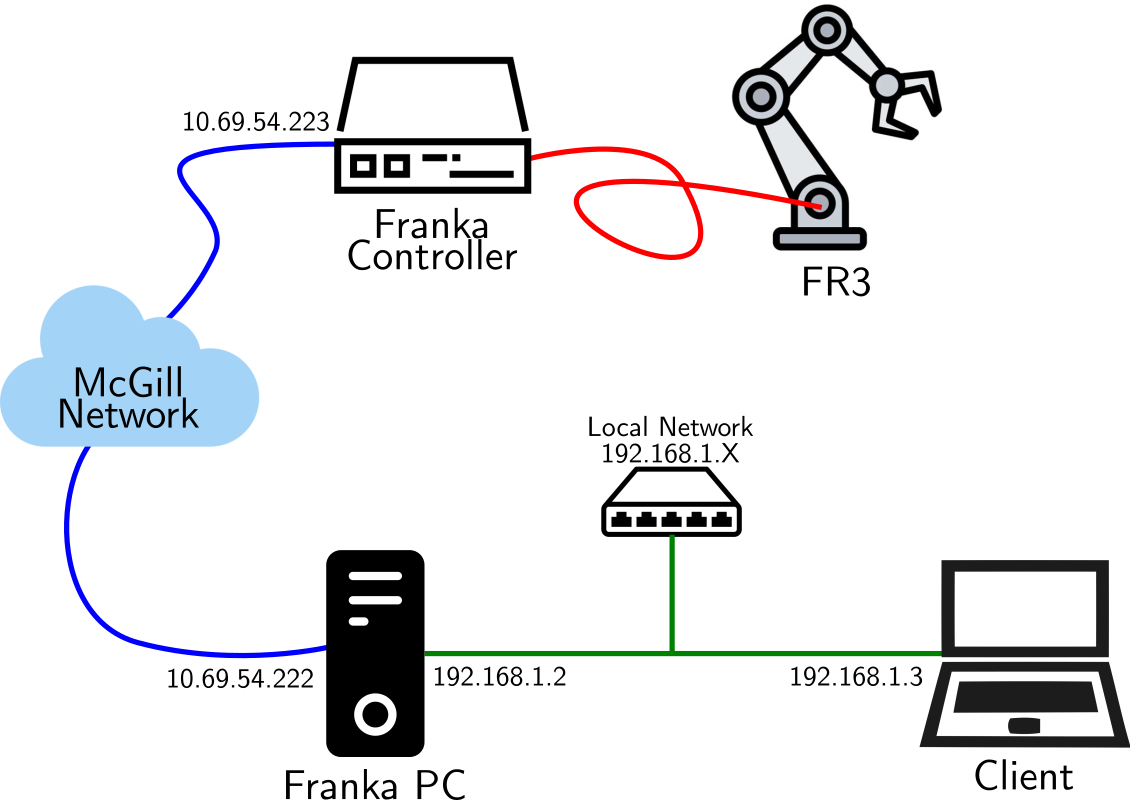
TODO: Steps to setup network, install FCI and the server.
Testing libfranka
Libfranka is the low level c++ api to send commands to the robot. Test that you are able to connect to the robot:
To check the realtime is working:
Other examples are available. You can take a look with